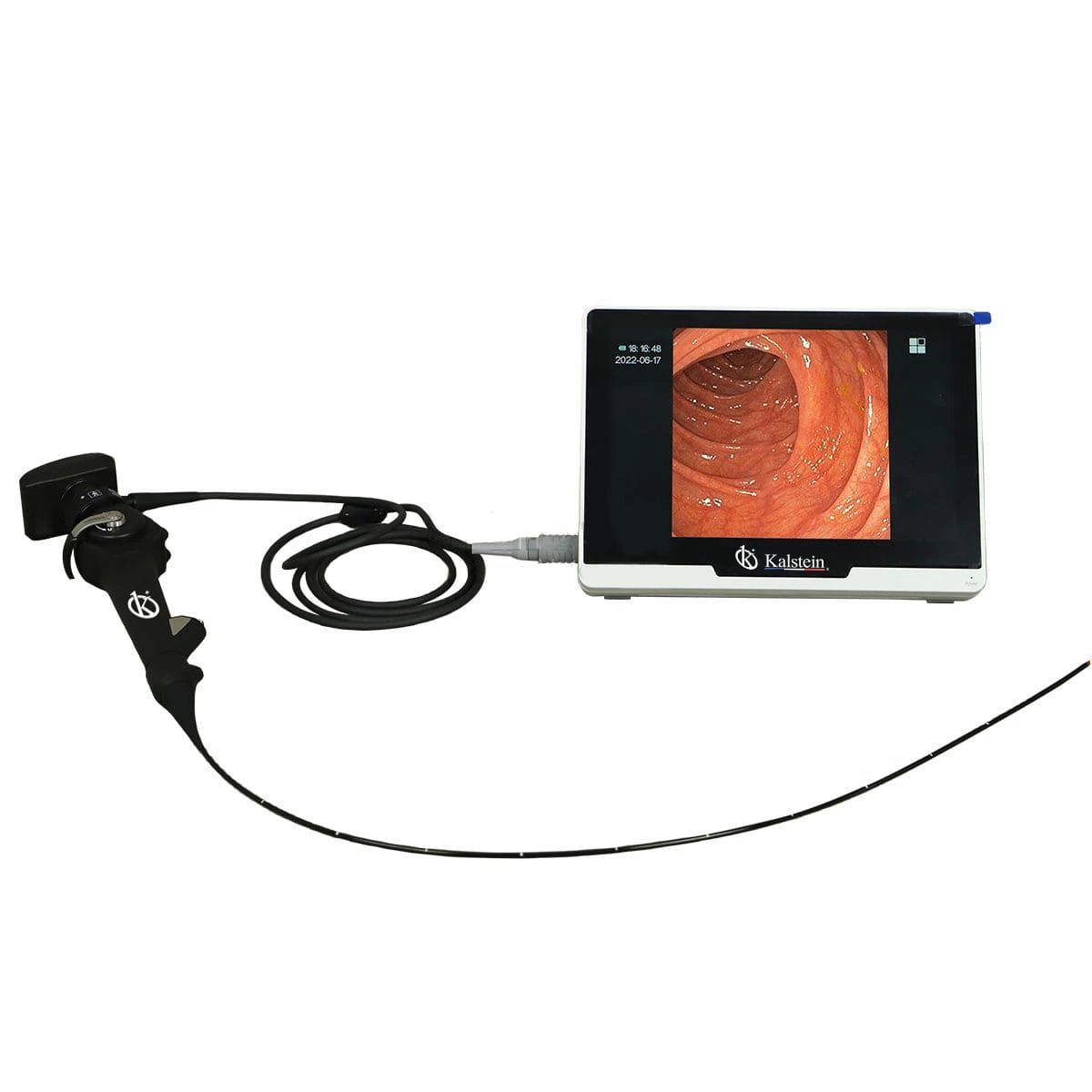
Troubleshooting Common Errors with the YR06152 Veterinary Video Endoscope
The YR06152 Veterinary Video Endoscope is a cutting-edge tool utilized in veterinary practices for a variety of applications. However, like any sophisticated device, it can encounter errors that may hinder its performance. Understanding these common troubleshooting strategies is essential for maintaining efficiency and ensuring successful operations in clinical settings.
Technical Overview of the YR06152
| Model | Diameter of Insertion Tube | Working Channel | Working Length | View Angle | View Depth | Range of Bending | Screen Size |
|---|---|---|---|---|---|---|---|
| YR06152 | 3.8 mm | 1.5 mm | 1000 mm | 120° | 3-200 mm | 180° (UP), 130° (DOWN), 120° (RIGHT), 120° (LEFT) | 10 inches |
Troubleshooting by Symptom
Troubleshooting the YR06152 involves identifying symptoms and determining their probable causes. Below, we categorize common errors and provide diagnostic steps along with potential fixes.
Equipment Does Not Power On
This issue can be frustrating but is often rectifiable. Here are some probable causes:
- Power cord is not properly connected.
- Faulty power outlet.
- Internal battery is drained.
To diagnose and fix:
- Check that the power cord is securely plugged into both the endoscope and the wall outlet.
- Test the outlet with another device to ensure it is functional.
- If the device still does not power on, verify if the battery requires charging or replacement.
Error Code E-03
Encountering an error code can signify various issues. The E-03 error specifically relates to:
- Improper connection of the endoscope to the control unit.
- Software malfunction.
To resolve this issue, follow these steps:
- Ensure the endoscope is securely connected to the control unit.
- Restart the device to reset the software. If the problem continues, consult the manufacturer's support for software updates.
Inconsistent Image Quality
Inconsistent images can disrupt examinations. Common causes include:
- Dirty lens or obscured view.
- Incorrect settings on the device.
To address this, try the following:
- Clean the lens with a microfiber cloth to remove any debris.
- Review and adjust settings, ensuring optimal configurations are selected for the specific procedure.
Symptom → Cause → Solution Table
| Symptom | Probable Cause | Solution |
|---|---|---|
| Equipment does not power on | Power cord not connected | Check connections |
| Equipment does not power on | Faulty outlet | Test with another device |
| Error Code E-03 | Improper connection | Secure connections |
| Error Code E-03 | Software issue | Restart device or update software |
| Inconsistent image quality | Dirty lens | Clean lens |
| Inconsistent image quality | Incorrect device settings | Adjust settings |
Frequently Asked Questions
What should I do if my YR06152 endoscope displays an error code?
If the YR06152 displays an error code, refer to the troubleshooting section for detailed information regarding the specific code. Each code typically indicates a specific issue that can be diagnosed and resolved with appropriate steps.
How can I maintain the YR06152 for optimal performance?
Regular maintenance includes cleaning the lens after each use, checking connections, and ensuring the software is up to date. Following the manufacturer's guidelines for care will prolong the life of the endoscope.
What types of applications can the YR06152 be used for?
The YR06152 is versatile in its applications, including bronchoscopy, rhinoscopy, pulmonary depth detection, and examination or treatment of the urethra and bladder.
Can I replace the parts of the YR06152 myself?
While certain components can be replaced, it is recommended to contact a professional for repairs to ensure the device is not damaged during the process.
How often should I calibrate the YR06152?
Calibration should be performed periodically, depending on the frequency of use and specific guidelines provided by the manufacturer. Regular checks can help ensure accuracy and reliability in readings.
What are the optimal environmental conditions for using the YR06152?
The YR06152 functions best in controlled environments, free from extreme temperatures and humidity, to ensure optimal performance and prevent device malfunction.
Conclusion
Maintaining the YR06152 Veterinary Video Endoscope involves understanding common errors and troubleshooting strategies. By knowing how to diagnose and resolve issues, veterinary professionals can minimize downtime and maximize efficiency in their practices.
For further inquiries or to request a quote, please reach out to us for assistance.
If you are looking for a fusion of innovation and quality, you have come to the right place. At Kalstein, we offer you the luxury of exploring our exclusive catalog of laboratory equipment. We manufacture every device to the highest standards of excellence. Our intuitive and seamless online purchasing channels are designed for your convenience, securing the most competitive prices. Hesitate no longer — we bring science to life, it is time to become part of our community.