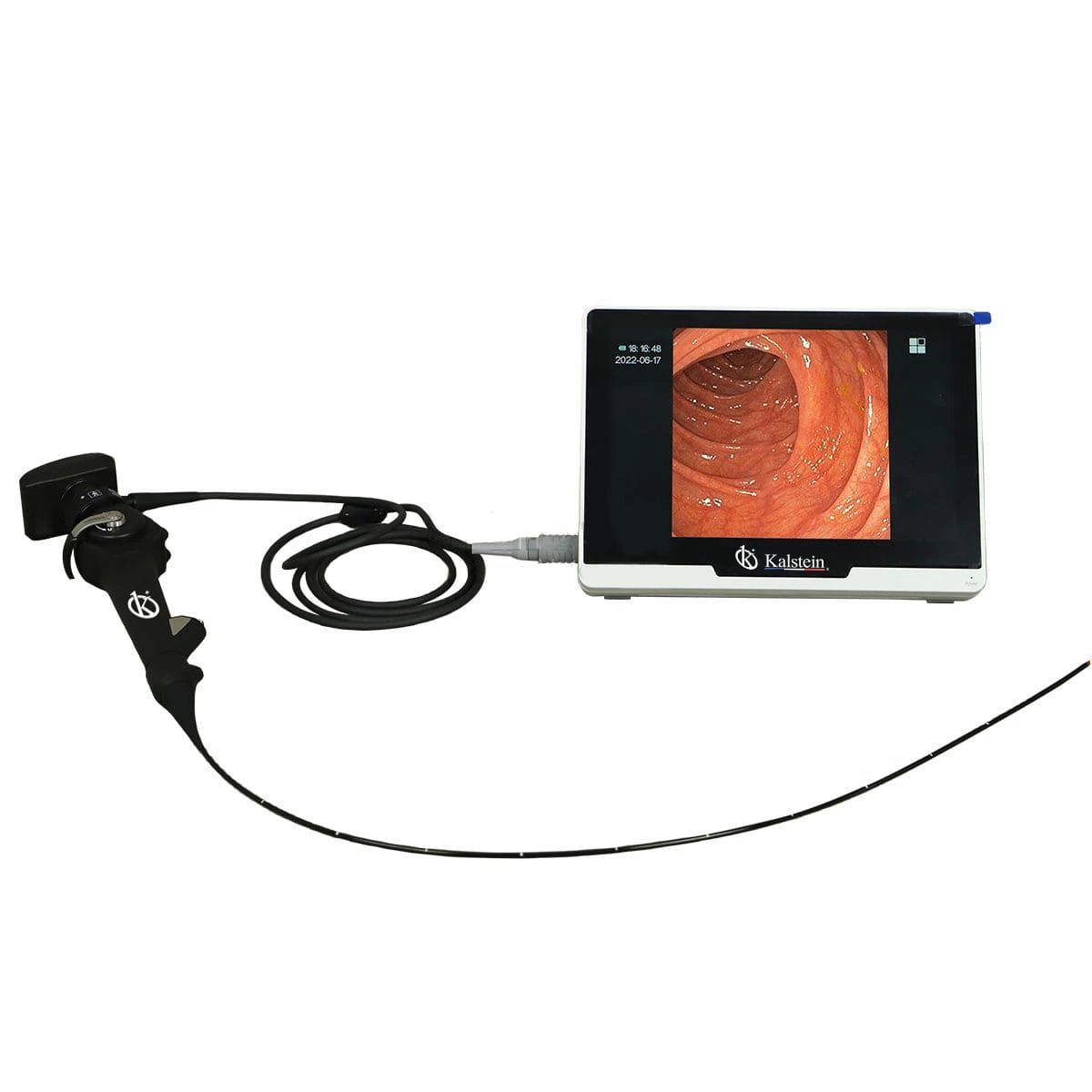
Common Errors and Troubleshooting Symptoms for the YR06151 Veterinary Endoscope
The YR06151 veterinary video endoscope is a vital tool for veterinarians, providing high-resolution imaging and versatile applications. However, like any advanced equipment, it may encounter issues that require troubleshooting. This article delves into common errors and their corresponding symptoms, facilitating a practical understanding of the equipment's operation and maintenance.
Technical Specifications of the YR06151
| Model | Diameter of Insertion Tube | Working Channel | Working Length | View Angle | View Depth | Range of Bending | Screen Size |
|---|---|---|---|---|---|---|---|
| YR06151 | 2.8 mm | 1.2 mm | 610 mm | 120° | 3-200 mm | 210° (Up), 130° (Down), 120° (Right), 120° (Left) | 10 inches |
Troubleshooting Symptoms
Equipment Does Not Power On
One common issue users may encounter is that the YR06151 does not power on. This can be due to several reasons, including:
- Faulty power supply or cable
- Battery issues
- Internal circuit failure
To troubleshoot:
- Check the power supply and ensure the cable is securely connected.
- Inspect the battery for any damage or signs of wear.
- If issues persist, consult a technician for internal inspection.
Error Code E-03
Error code E-03 may appear during operation, indicating a communication issue within the device. Possible causes include:
- Loose connections within the device
- Software malfunction
To resolve this:
- Ensure all connections are secure and properly seated.
- Restart the device and check for software updates.
Inconsistent Readings
Inconsistent readings from the device can disrupt the diagnostic process. This can be attributed to:
- Improper calibration
- Environmental interference
To fix this:
- Recalibrate the device following the manufacturer’s instructions.
- Ensure the operating environment is stable and free from interference.
Image Quality Issues
Users might experience subpar image quality, which can stem from:
- Dirty lenses
- Improper settings
To troubleshoot:
- Clean the lens with appropriate materials.
- Adjust settings to optimize image quality.
Symptom-Cause-Solution Table
| Symptom | Possible Cause | Solution |
|---|---|---|
| Equipment Does Not Power On | Faulty power supply | Check and replace the power supply if necessary. |
| Error Code E-03 | Loose internal connections | Secure all connections and restart the device. |
| Inconsistent Readings | Calibration issues | Recalibrate the device. |
| Image Quality Issues | Dirty lenses | Clean the lens thoroughly. |
Maintenance Tips for the YR06151
Regular maintenance of the YR06151 ensures optimal performance and longevity. Here are some essential maintenance tips:
- Perform routine cleaning of the lens and insertion tube.
- Check for software updates regularly.
- Store the device in a dry, temperature-controlled environment.
Frequently Asked Questions
What should I do if the YR06151 shows an error code?
Check the user manual for specific error code interpretations and follow the recommended troubleshooting steps. Common issues often involve connection or calibration problems.
How can I ensure the image quality remains high on the YR06151?
Regularly clean the camera lens and ensure that the settings are optimized for the type of procedure being performed. Check the focus and brightness settings as needed.
What is the lifespan of the YR06151 endoscope?
The lifespan can vary based on usage and maintenance practices. Regular maintenance can extend its operational life, but typically, the device is expected to last several years under standard conditions.
Can I use the YR06151 for various veterinary procedures?
Yes, the YR06151 is versatile and can be used for bronchoscopy, rhinoscopy, and other veterinary examinations and treatments.
How do I calibrate the YR06151?
Calibration instructions are provided in the user manual. It usually involves following on-screen prompts to ensure that the device is correctly set for accurate readings.
Where can I find replacement parts for the YR06151?
Replacement parts can be ordered through authorized distributors or directly from the manufacturer. Always ensure parts are compatible with the YR06151 model.
What are the common troubleshooting steps for the YR06151?
Common troubleshooting steps include checking power connections, ensuring proper calibration, cleaning lenses, and restarting the device to resolve minor software glitches.
If you are looking for a fusion of innovation and quality, you have come to the right place. At Kalstein, we offer you the luxury of exploring our exclusive catalog of laboratory equipment. We manufacture every device to the highest standards of excellence. Our intuitive and seamless online purchasing channels are designed for your convenience, securing the most competitive prices. Hesitate no longer — we bring science to life, it is time to become part of our community.