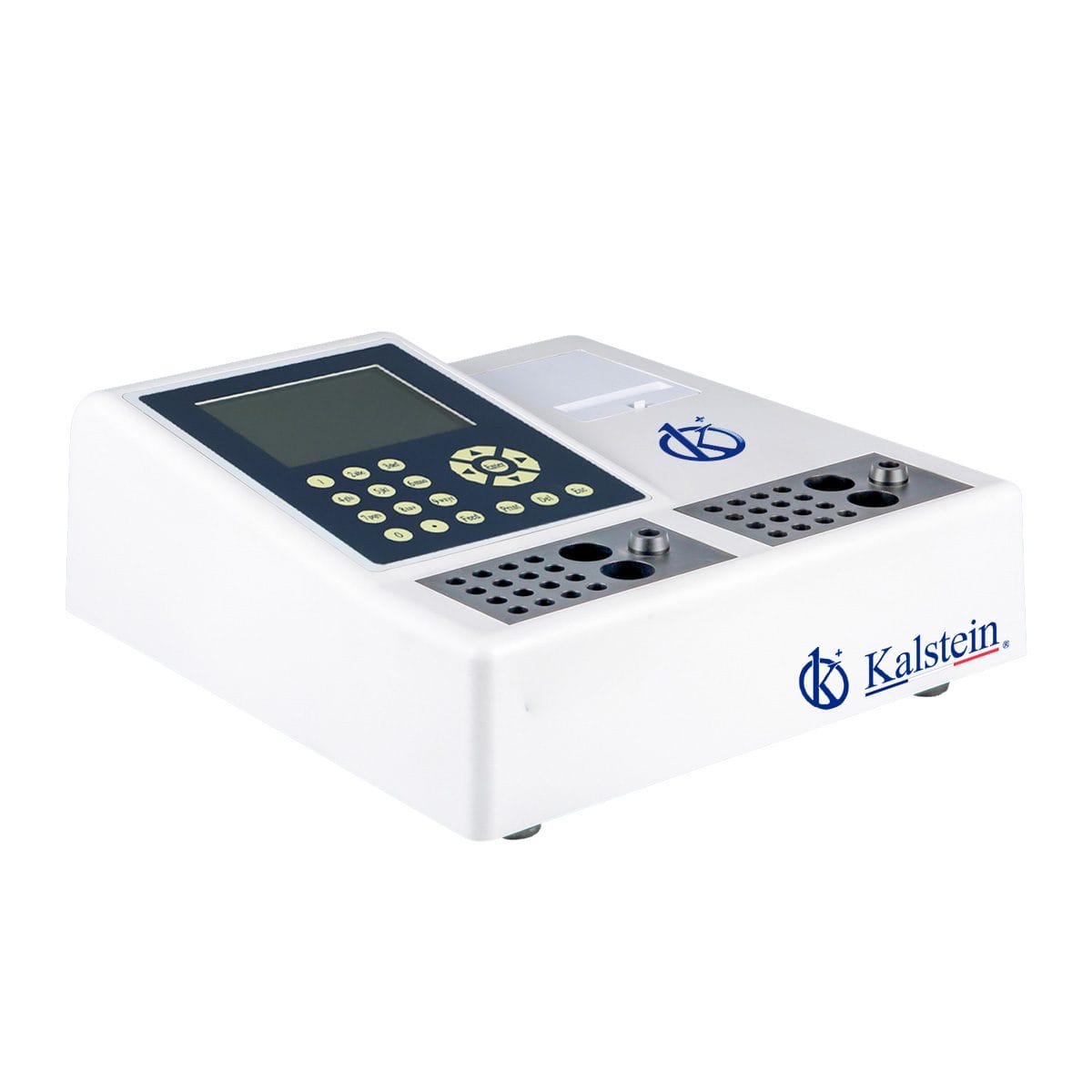
Common Errors and Troubleshooting Symptoms for the YR06173 Veterinary Coagulometer
The YR06173 Veterinary Coagulometer is an essential tool in veterinary practices, providing accurate coagulation analysis critical for diagnosing various conditions. However, like any complex equipment, it may occasionally encounter errors. Understanding these common issues and their troubleshooting methods can significantly enhance operational efficiency and ensure reliable results.
Technical Specifications of the YR06173
| Model | YR06173 |
|---|---|
| Built-in Incubator | 37°C ± 0.2°C |
| Sample Positions | 32 (2*16) |
| Reagent Positions | 4 (2*2) |
| Data Input | Membrane Keypad |
| Printer | Built-in thermal printer, 58mm wide paper |
| Operation Language | English, other languages available on request |
| Power Supply | 220V, 50Hz / 110V, 60Hz |
| Dimension | 30cm x 40cm x 15cm |
| Weight | 5.5kg |
Troubleshooting Symptoms
Equipment Does Not Power On
If the YR06173 does not power on, check the power supply connection and ensure it is plugged into a functioning outlet. Additionally, verify that the power switch is in the 'on' position and inspect the power cord for any visible damage.
Error Code E-03
Error code E-03 typically indicates an issue with the temperature sensor. Ensure that the internal incubator is correctly set to the required temperature of 37°C. If the error persists, perform a temperature calibration or consult the manual for reset procedures.
Inconsistent Readings
Inconsistent readings can result from improper sample preparation or reagent issues. Confirm that samples are homogenized adequately before testing, and check the expiry dates of reagents being used. Regular maintenance of the cuvette and optical components is also essential for accuracy.
Symptom-Cause-Solution Matrix for YR06173
| Symptom | Probable Causes | Diagnostic Steps | Concrete Fixes |
|---|---|---|---|
| Equipment Does Not Power On | Power supply issue, damaged cord | Check power outlet, inspect power cord | Replace cord, check outlet |
| Error Code E-03 | Temperature sensor malfunction | Check incubator temperature | Calibrate or reset temperature sensor |
| Inconsistent Readings | Poor sample preparation, expired reagents | Assess sample quality, check reagents | Reprepare samples, replace reagents |
Frequently Asked Questions
What are common symptoms indicating a malfunction in the YR06173?
Common symptoms include failure to power on, error codes such as E-03, and inconsistent test readings. These issues can stem from various causes including power supply problems, sensor malfunctions, or sample preparation errors.
How can I perform a temperature calibration on the YR06173?
To calibrate the temperature, access the setup menu, select the calibration option, and follow the prompts to input the correct temperature setting of 37°C. Make sure to verify the calibration with standard temperature probes.
What should I do if I encounter error code E-03?
Error code E-03 signifies a temperature sensor issue. Ensure that the incubator is set to the correct temperature and perform a calibration if necessary. If the error continues, consult the manufacturer's guidelines for further troubleshooting steps.
How often should reagents be replaced for optimal performance of YR06173?
Reagents should be replaced according to the manufacturer's guidelines, usually every 3-6 months or when indicated by the device. Regular checks on expiration dates and performance are essential to maintain accuracy.
What maintenance is required for the YR06173?
Regular maintenance of the YR06173 includes cleaning the optical components, calibrating temperature settings, and ensuring that all connections are secure. It is also advised to perform routine checks on the internal printer if used frequently.
Can I use third-party reagents with the YR06173?
It is recommended to use manufacturer-approved reagents to ensure accuracy and reliability. While some third-party reagents may be compatible, they may not provide the same level of performance or reliability.
Where can I request a quote for the YR06173?
You can request a quote for the YR06173 through our official channels, where a representative will assist you with pricing and availability.
If you are looking for a fusion of innovation and quality, you have come to the right place. At Kalstein, we offer you the luxury of exploring our exclusive catalog of laboratory equipment. We manufacture every device to the highest standards of excellence. Our intuitive and seamless online purchasing channels are designed for your convenience, securing the most competitive prices. Hesitate no longer — we bring science to life, it is time to become part of our community.